

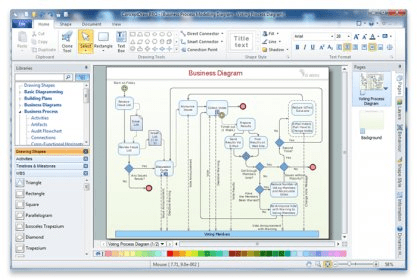
ConceptDraw Professional is a great drawing tool. It is useful for creating diagrams with the help of shapes. It has a nice user-friendly interface. The program can be used to create business diagrams, flowcharts, network diagrams, floor plans, etc. It can also be used to create technical diagrams, electrical circuits, and other drawings.
The program has many similar traits with Microsoft Vision. It uses shapes and connector lines to create the diagrams you need. There is a feature called “Library”, which can be used to create and edit custom shapes. The program comes with a collection of predefined shapes grouped neatly in the program's folders. We can open a particular library and use the shapes it contains. The tools and shapes are listed in the side window. Editing shapes is very easy and requires no previous experience with the program. There are just a few complex tools that can be a bit difficult to use.
A wide variety of formats is supported to export documents, like HTML, PDF, SWF, Power Point File, or SVG, which is very convenient.
The help file included in the installation is a small CHM document which contains descriptions for the entire toolset and dialog boxes. But it should have included more graphical content. What I really liked was the dynamic help window. It shows the help for the current tool selected and changes the contents as we perform various operations on the objects.






Comments (2)